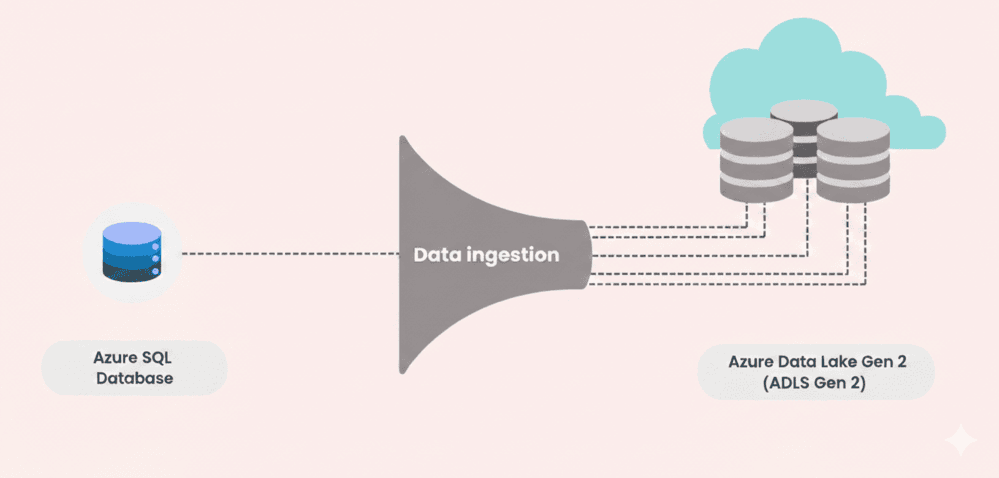
Every analytics project you create, every dashboard you build, every ML model you design starts at the same place - feeding raw data reliably into your platform. The process is called Ingestion.
Data Ingestion is the backbone of data engineering - and when its not done correctly, everything downstream breaks with it - reports become incorrect, pipelines break down, and decisions taken by the business are based on old or inaccurate data.
In the modern era, the challenge with data ingestion is not just moving data from Point A to Point B but doing it effectively. We are doing so incrementally (so we are not re-processing same information each run), resiliently (so a failed loading does not silently corrupt our data lake - backfill mechanism), and at a scale (so adding a new data source table does not require rewriting pipeline).
We will build exactly that kind of pipeline utilizing Microsoft Azure - using Azure SQL Database as our data source, Azure Data Factory (ADF) as our orchestrator, and Azure Data Lake Storage Gen2 (ADLS Gen2) as our destination data lake.
Architecture Overview
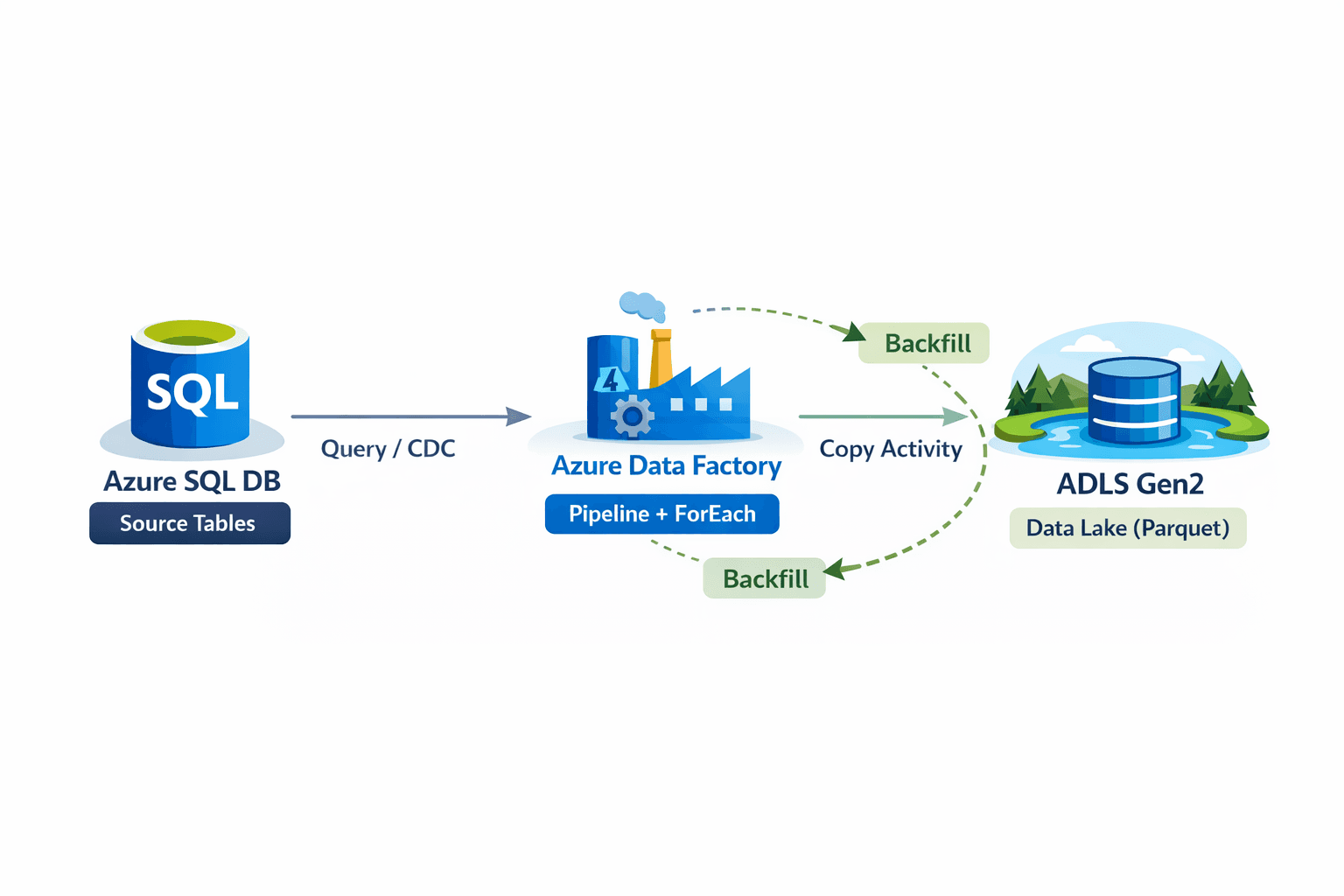
- Azure SQL Database holds our transactional source data ( OLTP) - for instance customers, products, orders details.
Azure Data Factory (ADF) orchestrates batch data ingestion from source database into the data lake using
copyActivities, while applying the logic of incremental loading and backfill mechanism for each pipeline execution. ADLS Gen2 stores ingested data for both transformation and long-term analytical purpose (OLAP), where downstream engines such as Databricks and Azure Synapse Analytics will eventually consume and refine the data.
Setting the Stage
Before we build pipelines, we need to set up services, database and files in Azure.
| Services | Description |
|---|---|
| Provision Azure SQL Database | Set up your SQL Server and source tables. Each table should have an UpdatedDate or similar timestamp column, which serves as the basis for Change Data Capture (CDC). |
| Create ADLS Gen2 Storage Account | Enable the hierarchical namespace feature. Create containers for each layer (raw/, bronze/, silver/, gold/) or per source system to organize ingested data efficiently. |
| Set Up Linked Services in ADF | Connect to SQL Database and ADLS Gen2 using linked services. These are reusable across pipelines, reducing repetitive setup and ensuring consistent connectivity. |
| Initialize the CDC JSON Config | Create a JSON file (in ADLS or SQL) recording last_updated_date for each table. This acts as a watermark, tracking what data has already been ingested for incremental loading. |
Incremental Loading with CDC
Imagine a situation, you loaded 1 billion rows from your database yesterday, and today only 200 new rows are added. Now, if you have to load 1 billion + 200 rows today, it will be wasting a lot of time, but primarily large amount of compute resources and that comes with significant cost. What if you only have to load 200 new records? That is the concept of incremental loading.
We load only new data. Change Data Capture or CDC is the standard way of doing so in data engineering. It identifies and captures what data action was performed and what changed. We can achieve so by utilizing SQL server built in CDC feature but that requires specific permissions and setting up editions. But I will give you easy solution that works for every project independent of database you use - timebased incremental loading.
In this approach, we create a json file that stores last updated date for each table and we compare that value to table timestamp.
{
  "tables": [
    {
      "table_name": "dbo.Orders",
      "last_updated_date": "2026-02-02T14:30:00Z"
    },
    {
      "table_name": "dbo.Customers",
      "last_updated_date": "2026-02-02T14:30:00Z"
    },
    {
      "table_name": "dbo.Products",
      "last_updated_date": "2026-02-02T09:15:00Z"
    }
  ]
}
Or, you can create separate cdc.json for each table and store the value in a variable. The ADF pipeline reads this file at the start of each run using a Lookup Activity. For each table, it constructs a dynamic SQL query like:
-- ADF passes @{item().last_updated_date} dynamically
SELECT *
FROM dbo.Orders
WHERE UpdatedDate > '@{item().last_updated_date}'
Only the rows that changed since the last run get copied — and after a successful copy, the JSON watermark is updated to the current timestamp. Clean, efficient, and no full table scans.
Backfiling using parameter - Resilient
When you have to ingest new data, incremental loading is a great. But what if the ingested data is corrupted? What if you need data from last year or last month? Backfill mechanism solves this.
The concept is simple - you create a parameter, for instance back_date and when a value is passed, it fetch all data from that date forward otherwise, the pipeline defaults to normal incremental behaviour.
// ADF expression — inside the Copy Activity source query
@if(
    empty(pipeline().parameters.back_date),
        /* normal CDC: use watermark */
        item().last_updated_date,
        /* backfill: use the back_date param */
        pipeline().parameters.back_date
)
Meaning a backfill is just a single pipeline trigger with one extra parameter, no manual scripts, no separate pipelines and no risk of changing pipeline behaviour. Simple yet powerful.
| SCENARIO | BACK_DATE VALUE | BEHAVIOR |
|---|---|---|
| Normal daily run | (empty) | Uses watermark — incremental only |
| First-time load | 1900-01-01 | Loads all historical data |
| Re-process last 1 year | 2025-01-01 | Re-ingests from Feb 01, 2025 onward |
Handling large number of tables - Scaling
In a real world project with 20, 30 or even 100 of source tables, writing individual pipelines or passing schema or table name on each run would be a nightmare. The ForEach pattern resolves that - You create one pipeline and pass all your table information in a json or a config file. Done.
// ForEach Activity — Items expression
@json(
  activity('ReadWatermarkConfig').
  output.content.tables
)

// Inside the loop, each item() exposes:
  item().table_name          → "dbo.Orders"
  item().last_updated_date   → "2025-01-28T14:30:00Z"
The Copy Activity inside the pipeline uses these dynamic references to build the source query and set the sink file path automatically. Want to add a new table information? Just add an entry to your JSON configuration.
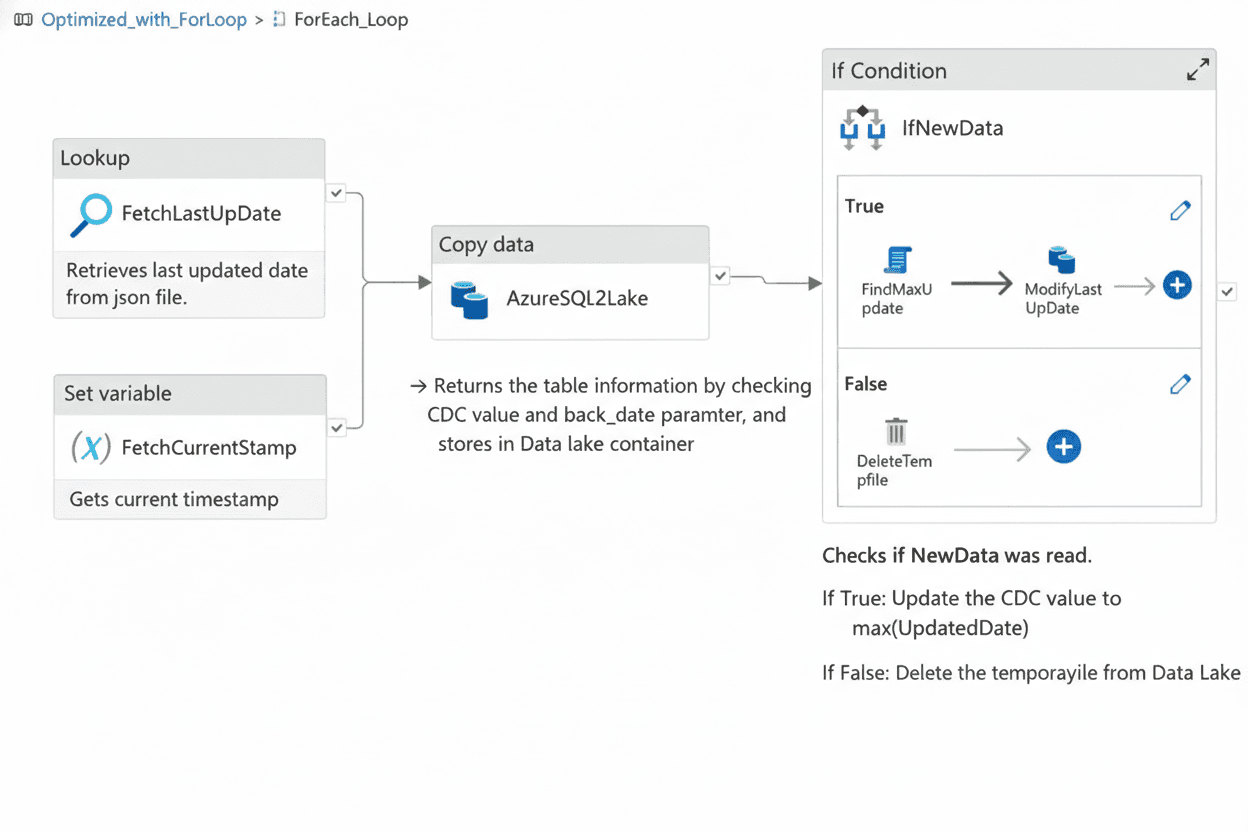
See the Pipeline in Action
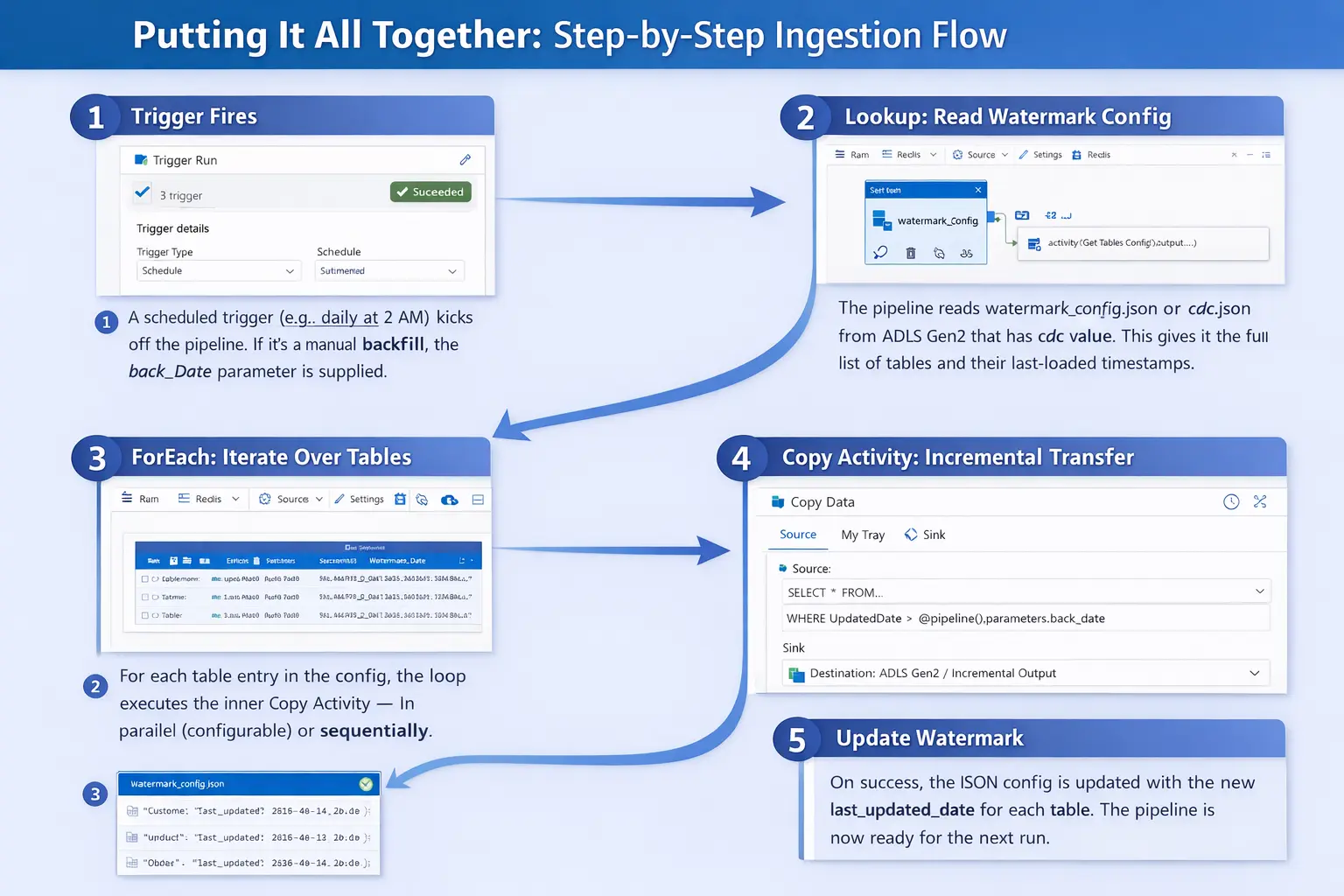
Putting it all together
Monitoring and best Practices
A pipeline which is perfectly functional in development environment may silently fail in production without any indication. Here are some key tips to consider during deployment.
| Practice | Why it matters? |
|---|---|
| Enable alerts for ADF | Pipelines can fail without anyone's immediate knowledge. Enabling ADF alerts ensures you are automatically notified of failures, so you don’t have to rely on someone noticing missing data. |
| Log row counts | After each Copy Activity, log the number of rows copied. A zero-row run on a busy table signals a potential issue immediately. |
| Idempotent writes | When a pipeline is re-run (retry or backfill), data in ADLS should not be duplicated. Using proper partitioning or overwrite mode ensures consistency. |
| Version control your configurations | Keep watermark_config.json in a versioned location or back it up before updates. This prevents ingestion breakage from a single corrupted file. |
| Perform tests with small windows | Debug pipelines with a 1-hour back_Date range before full scheduled runs. Fast feedback loops save hours and reduce risk. |
The Core Insight :
A single, parameterized ForEach pipeline + a JSON watermark file with backfill mechanism can replace dozens of one-off ingestion pipelines and scale to hundreds of tables.
Full pipeline code is available on GitHub 👨💻 :
Images generated using AI.